> ## Documentation Index
> Fetch the complete documentation index at: https://docs.commerce.blazity.com/llms.txt
> Use this file to discover all available pages before exploring further.
# OG Images
> Dynamically generate social media cards with up-to-date product information
Enterprise Commerce utilizes the `@vercel/og` library to generate dynamic Open Graph (OG) images for enhanced social media sharing.
This feature allows you to create visually appealing and informative social media cards that automatically update based on product information and other relevant data.
By leveraging a `style` object or Tailwind CSS, you have complete control over the design, data and appearance of your OG images. This ensures consistent branding and a professional presentation across all social media platforms.
**Especially important for Twitter since the engagement rate of Tweets that embed a card is 40% higher.**
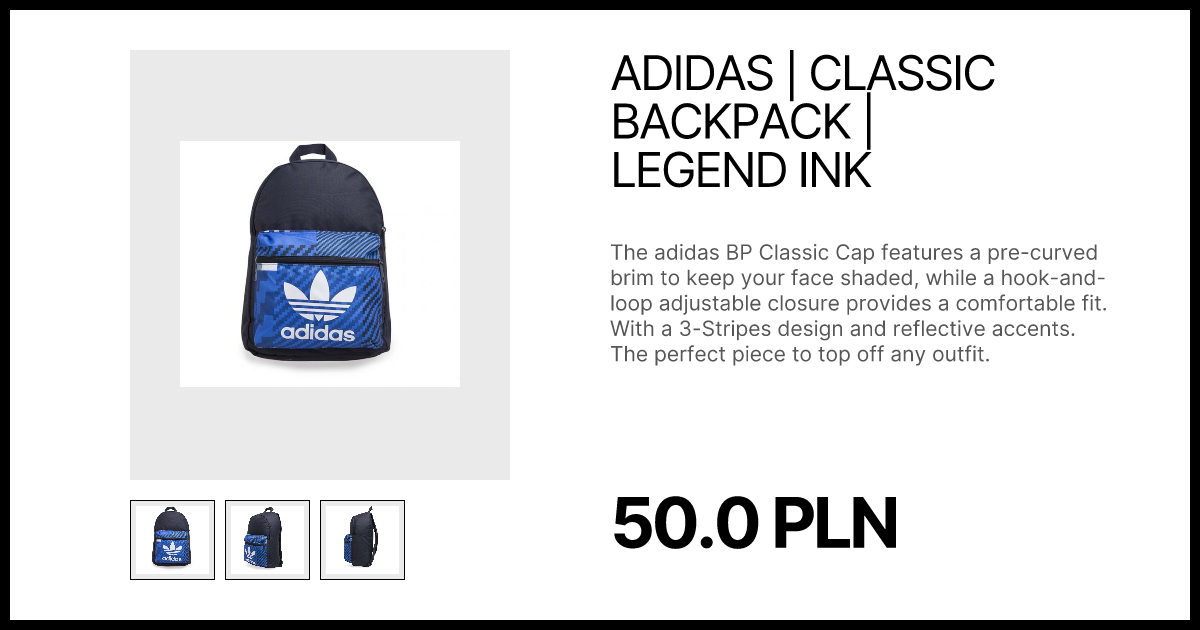 If you wish to change the apperance of the OG image, search for `opengraph-image.` in the code or learn more
You can use this tool to test and preview OG image cards generated with `@vercel/og`
Learn how to optimize social media image generation through the Open Graph Protocol and `@vercel/og` library.
If you wish to change the apperance of the OG image, search for `opengraph-image.` in the code or learn more
You can use this tool to test and preview OG image cards generated with `@vercel/og`
Learn how to optimize social media image generation through the Open Graph Protocol and `@vercel/og` library.