> ## Documentation Index
> Fetch the complete documentation index at: https://docs.commerce.blazity.com/llms.txt
> Use this file to discover all available pages before exploring further.
# Draft Mode
> Preview unpublished product pages with Draft Mode
Draft Mode allows you to preview unpublished Shopify product data on your live website, rendered with all the usual styling and layout. This enables safe and efficient testing and collaboration before making changes public.
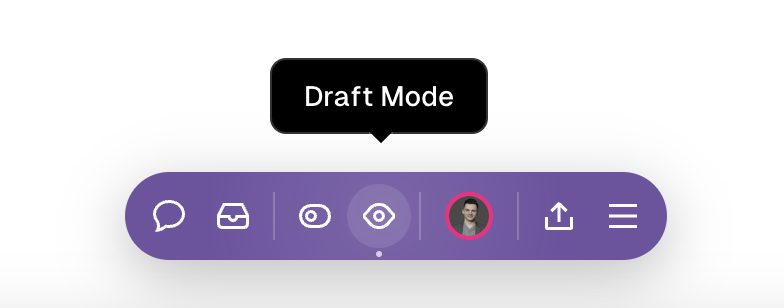 **Enabling Draft Mode:**
1. Append `/draft` to the end of the product page URL.
2. Example: `/products/adidas-classic-backpack-legend-ink-multicolour/draft`
**Technical Details:**
Draft Mode leverages the Vercel Toolbar for workflow collaboration: [https://vercel.com/docs/workflow-collaboration/vercel-toolbar](https://vercel.com/docs/workflow-collaboration/vercel-toolbar)
**Enabling Draft Mode:**
1. Append `/draft` to the end of the product page URL.
2. Example: `/products/adidas-classic-backpack-legend-ink-multicolour/draft`
**Technical Details:**
Draft Mode leverages the Vercel Toolbar for workflow collaboration: [https://vercel.com/docs/workflow-collaboration/vercel-toolbar](https://vercel.com/docs/workflow-collaboration/vercel-toolbar)